Repricer: step by step
Connect your Bol shop, check your offers in the catalogue, set a minimum price and switch the repricer on for an offer.
Connect your shop
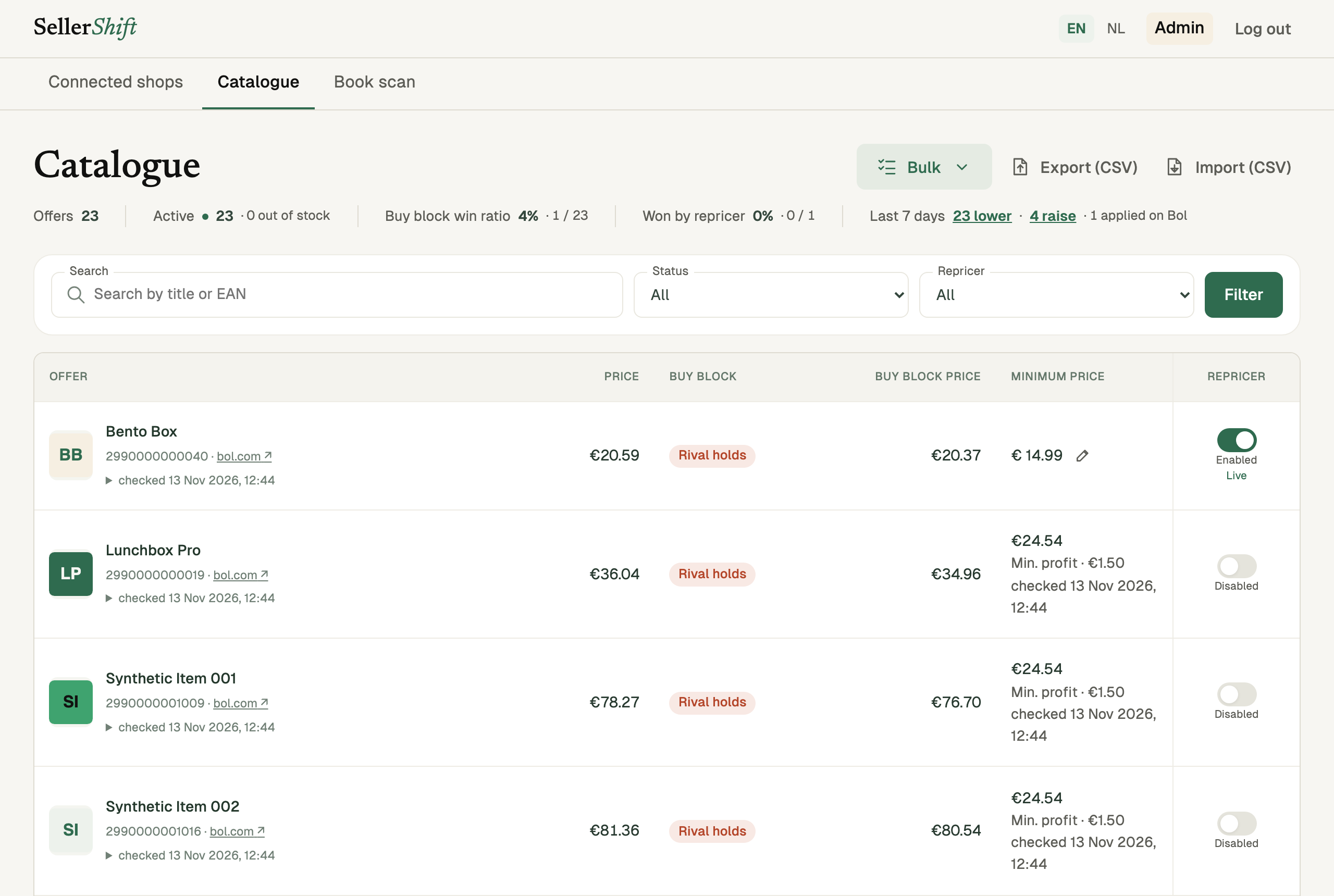
Open Connected shops. Give the shop a name and enter your Client id and Client secret. You create these in your Bol seller account under Settings → API settings. Tap Connect my shop.
Your offers are imported with the repricer off. Nothing changes on Bol until you switch an offer on. The keys are stored encrypted.
Look at your catalogue
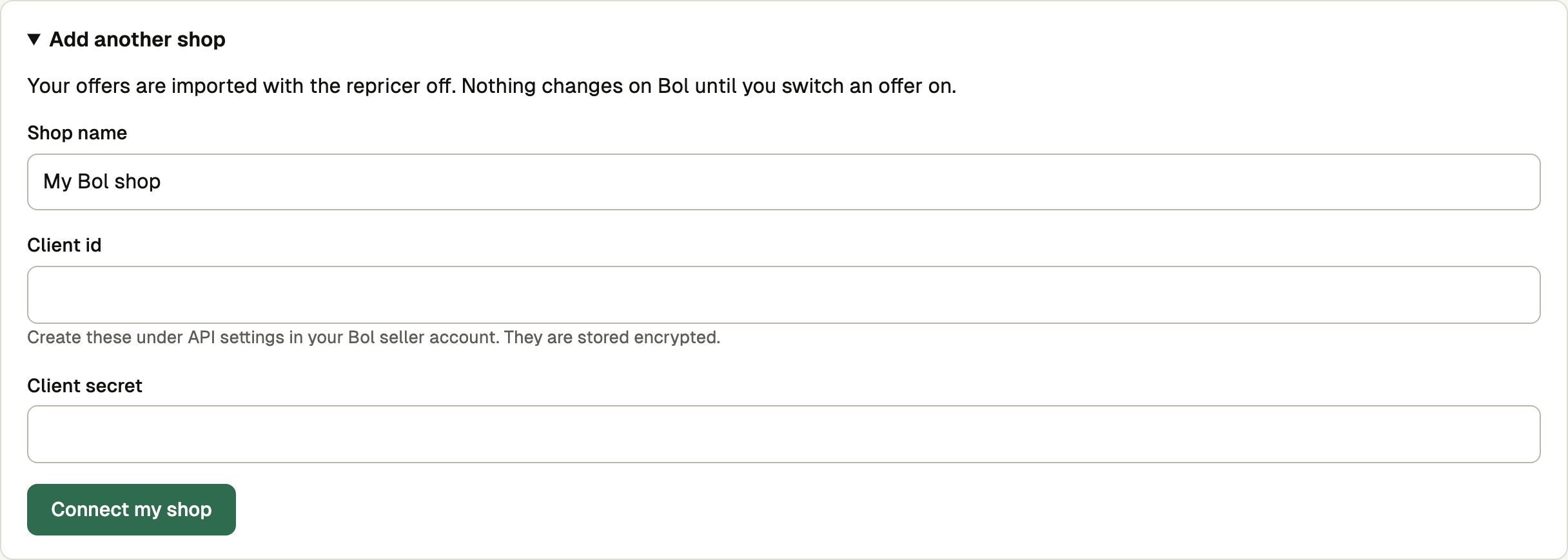
Catalogue lists every offer: your price, who holds the buy block (the offer that wins the “add to basket” button on bol.com), the buy block price, your minimum price and the Repricer switch.
Search by title or EAN, or filter by status and by repricer on/off.
Open an offer
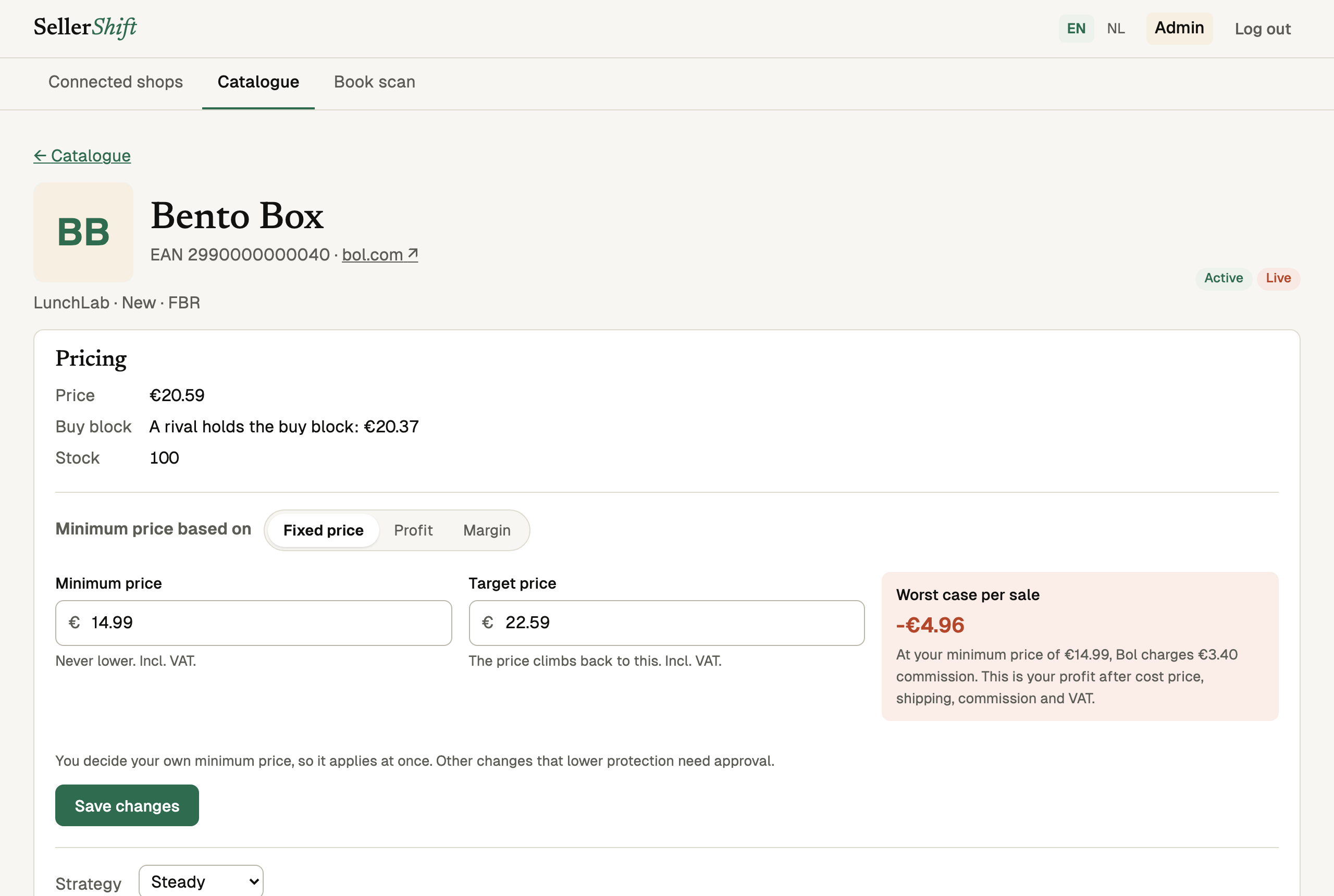
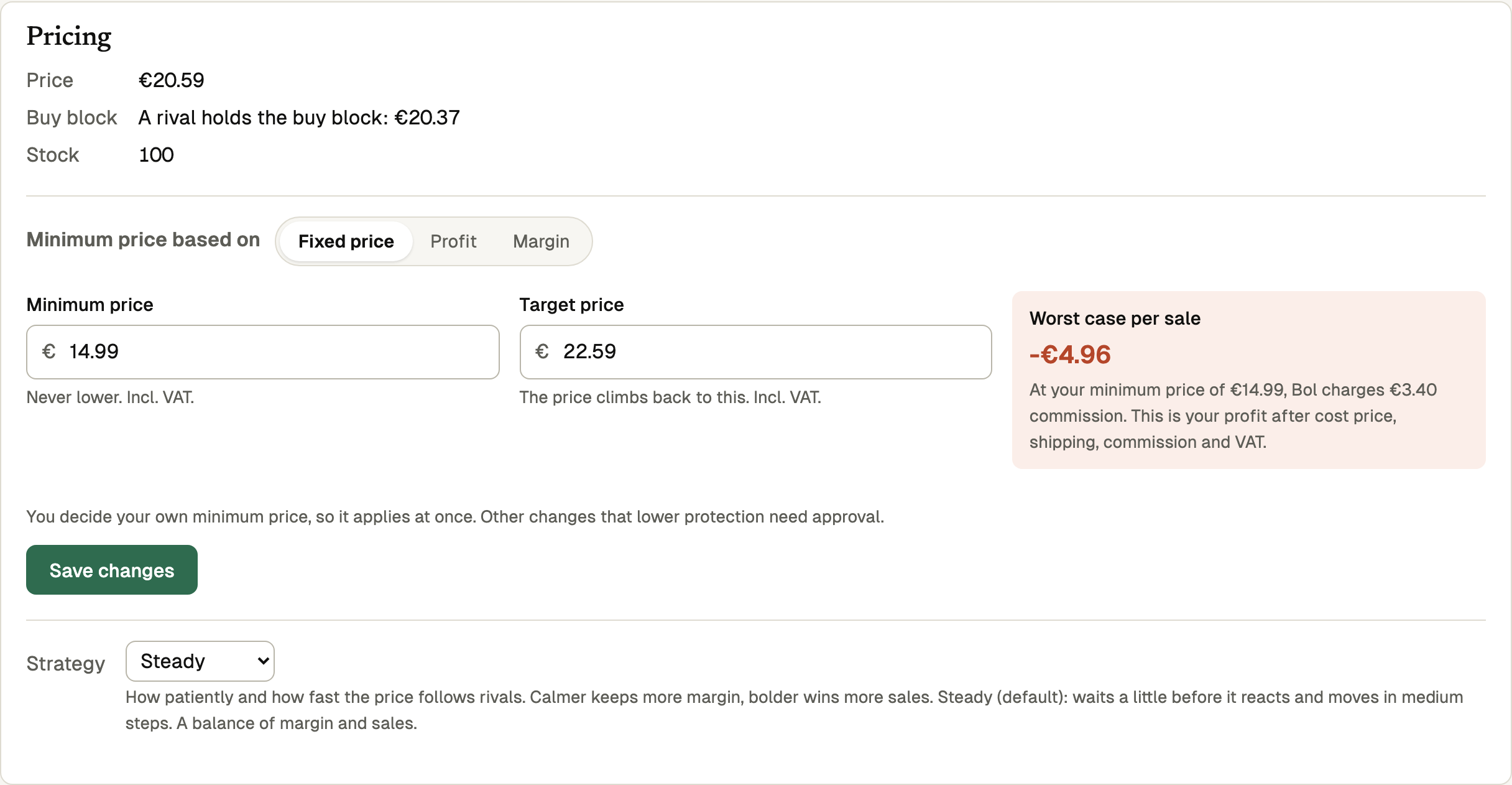
Click the title of an offer. At the top you see the price, who holds the buy block and the stock.
Set the basic settings
Minimum price based on: Fixed price (an amount), Profit (a minimum profit per sale) or Margin (a minimum percentage). Profit and margin need your cost price.
Minimum price: the repricer never goes lower. Target price: the price climbs back to this when rivals leave room.
Worst case per sale shows your profit at the minimum price, after cost price, shipping, commission and VAT. Red means you would lose money at that price.
Strategy: how patiently and how fast the price follows rivals. Calm keeps more margin, Bold wins more sales; Steady is the default. Tap Save changes.
The offer page also has advanced settings. You do not need them to start.
Switch the repricer on
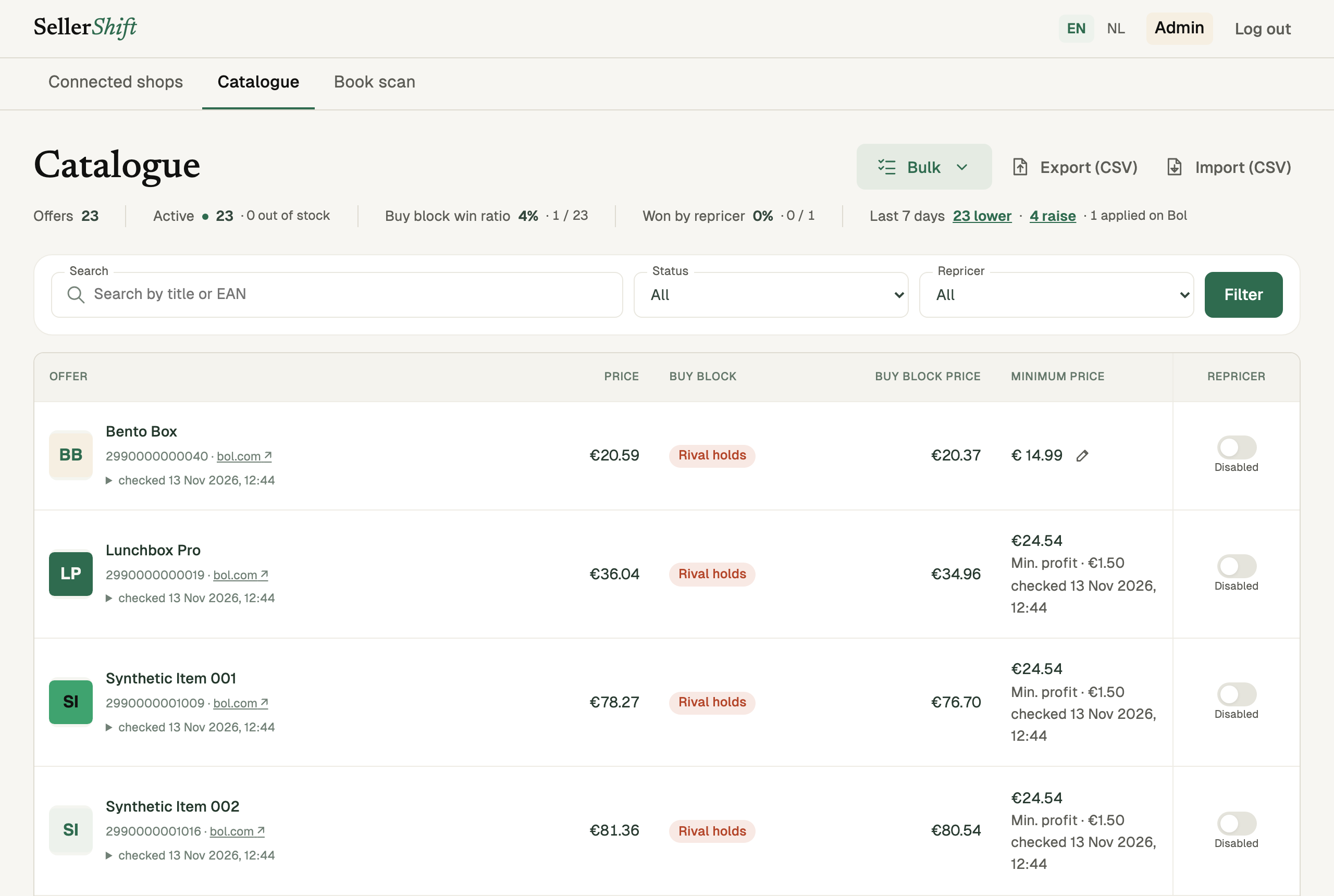
Back in the catalogue, click the Repricer switch of the offer. It turns green: Enabled · Live. From now on the repricer changes the price on Bol, never below your minimum price.
Click the switch again to stop. Bulk → Turn all on or Turn everything off switches every offer in the list at once.